Comfortable Reading vs Advanced Custom Fields: Restrict Color… (2026)
Detailed side-by-side comparison of two WordPress plugins, based on real-time data from WordPress.org.

Advanced Custom Fields: Restrict Color…
1.0K+ active installs
Free
Quick Verdict
As of April 2026, Advanced Custom Fields: Restrict Color… has a higher user rating (5/5 from 6 reviews) while Comfortable Reading leads in active installations (2.0K+ vs 1.0K+). Both are free WordPress plugins. Comfortable Reading has accumulated 28K+ total downloads while Advanced Custom Fields: Restrict Color… has 17K+.
Detailed Comparison
| Metric | Comfortable Reading | Advanced Custom Fields: Restrict Color… | |
|---|---|---|---|
| Rating | 3.6/5 | ► | 5/5 |
| Total Reviews | 11 | ◄ | 6 |
| Active Installs | 2.0K+ | ◄ | 1.0K+ |
| Total Downloads | 28K+ | ◄ | 17K+ |
| Support Resolution | N/A | N/A | |
| Last Updated | 8 years ago | ► | 4 years ago |
| First Released | 2015 | 2016 | |
| Age | 11 years | 10 years | |
| WP Requires | 3.0+ | 4.0+ | |
| PHP Requires | false+ | 7.0+ | |
| Business Model | Free | Free | |
| Latest Version | 1.6.6 | 1.3.1 |
Rating Breakdown

Comfortable Reading
Advanced Custom Fields: Restrict Color…
Download Trends
Over the past 30 days, Comfortable Reading averaged approximately 3 daily downloads while Advanced Custom Fields: Restrict Color… averaged 6.
Recent Reviews
Comfortable Reading Reviews
вшитые ссылки!
Будьте внимательны: даже при покупке премиум версии автор вставляет на ваш сайт ссылку на свой блог, пряча её в display none. В личной переписке мне ответил: чтобы была ссылка на сайт автора, у вас с
Trial version
За полную версию надо платить деньги.
Отличный плагин!
Плагин очень выручил, спасибо Александр! Несмотря на то, что плагин конфликтнул немного с нашей WP темой разработчик помог с установкой! Рекомендую, если вас обязали соблюсти ГОСТ…
Advanced Custom Fields: Restrict Color… Reviews
Works like a charm
Perfect, easy solution. Awesome that it can fetch the theme colors defined in theme.json to. Thank you for sharing!
WOW genau das habe ich gesucht!
Einfach klasse. Vielen Dank.
This is Ok!
I used it, felt great!
More Color Worth Comparing
Top alternatives in the same category as Comfortable Reading and Advanced Custom Fields: Restrict Color…
Manage a site-wide central color palette for a uniform look'n'feel! Supports the new block editor, Theme Customizer and many themes and plug …

Add event category background colors to The Events Calendar events.

Styleguide allows you to customize fonts and colors in WordPress themes through the Customizer - no need to touch any code!
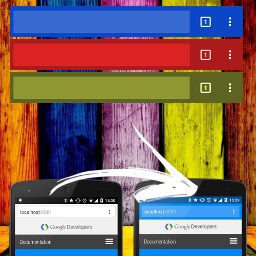
Add the 'theme-color' meta tag to your website for a seamless user experience on Android & iOS with our easy-to-use plugin.

Frequently Asked Questions
Is Comfortable Reading or Advanced Custom Fields: Restrict Color… more popular?
Which has better ratings — Comfortable Reading or Advanced Custom Fields: Restrict Color…?
Are Comfortable Reading and Advanced Custom Fields: Restrict Color… free?
Which plugin has better support — Comfortable Reading or Advanced Custom Fields: Restrict Color…?
Which plugin is updated more frequently?
Plugin data sourced from WordPress.org. Comparison and analysis by PluginSift.