MX Time Zone Clocks vs WPC Countdown Timer for WooCommerce (2026)
Detailed side-by-side comparison of two WordPress plugins, based on real-time data from WordPress.org.

WPC Countdown Timer for WooCommerce
1.0K+ active installs
Free
Quick Verdict
As of April 2026, WPC Countdown Timer for WooCommerce has a higher user rating (5/5 from 3 reviews) while MX Time Zone Clocks leads in active installations (1.0K+ vs 1.0K+). Both are free WordPress plugins. MX Time Zone Clocks has accumulated 28K+ total downloads while WPC Countdown Timer for WooCommerce has 64K+.
Detailed Comparison
| Metric | MX Time Zone Clocks | WPC Countdown Timer for WooCommerce | |
|---|---|---|---|
| Rating | 4.7/5 | ► | 5/5 |
| Total Reviews | 15 | ◄ | 3 |
| Active Installs | 1.0K+ | 1.0K+ | |
| Total Downloads | 28K+ | ► | 64K+ |
| Support Resolution | N/A | N/A | |
| Last Updated | 1 year ago | ► | 1 week ago |
| First Released | 2019 | 2020 | |
| Age | 7 years | 6 years | |
| WP Requires | 4.9+ | 4.0+ | |
| PHP Requires | false+ | false+ | |
| Business Model | Free | Free | |
| Latest Version | 5.1.1 | 3.1.8 |
Rating Breakdown
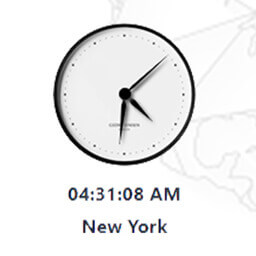
MX Time Zone Clocks
WPC Countdown Timer for WooCommerce
Download Trends
Over the past 30 days, MX Time Zone Clocks averaged approximately 5 daily downloads while WPC Countdown Timer for WooCommerce averaged 63.
Recent Reviews
MX Time Zone Clocks Reviews
The hands
Thanks for a nice and useful plugin 🙂 It could be nice if it is possible to change the size and the colours of the hands and if possible maybe if we could use own image as the hands. Thanks for
NOT WORK
Today plugin not work. Copy shortcode and not work
Easy & Simple To Use
Thanks for making this plugin. Its simple to use and has some great customising options. Cheers!
WPC Countdown Timer for WooCommerce Reviews
Very usefull plugin for customer gain.
very good plugin and supported in every theme.
Simple and Useful !
Hello Everyone, Use this plugin for your sales need. Simple to use and very useful. Good job, Author!
Best countdown timer
After searching for many and many plugins for countdown timer, I can say this is the best one among the rest, good work! The only remaining thing is to make it compatible with Elementor Thank you!
More Clock Worth Comparing
Top alternatives in the same category as MX Time Zone Clocks and WPC Countdown Timer for WooCommerce
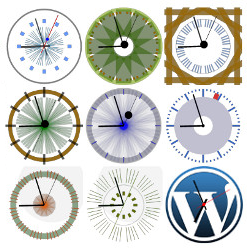
Show an analog clock on your WordPress site sidebar or in post and page content.

Display a clock on your sidebar set automatically to your location's timezone. Select from a choice of clocks, colors and sizes.

Allows you to easily display a count down/up timer, the time or the current date on your website, and to schedule an automatic content modification.
Frequently Asked Questions
Is MX Time Zone Clocks or WPC Countdown Timer for WooCommerce more popular?
Which has better ratings — MX Time Zone Clocks or WPC Countdown Timer for WooCommerce?
Are MX Time Zone Clocks and WPC Countdown Timer for WooCommerce free?
Which plugin has better support — MX Time Zone Clocks or WPC Countdown Timer for WooCommerce?
Which plugin is updated more frequently?
Plugin data sourced from WordPress.org. Comparison and analysis by PluginSift.