Tabs Responsive – With WooCommerce… vs Tabby Responsive Tabs (2026)
Detailed side-by-side comparison of two WordPress plugins, based on real-time data from WordPress.org.

Tabs Responsive – With WooCommerce…
20K+ active installs
Free
Quick Verdict
As of April 2026, Tabby Responsive Tabs has a higher user rating (4.9/5 from 144 reviews) while Tabs Responsive – With WooCommerce… leads in active installations (20K+ vs 10K+). Both are free WordPress plugins. Tabs Responsive – With WooCommerce… has accumulated 857K+ total downloads while Tabby Responsive Tabs has 341K+. Tabby Responsive Tabs has a higher support resolution rate (100% vs 0%).
Detailed Comparison
| Metric | Tabs Responsive – With WooCommerce… | Tabby Responsive Tabs | |
|---|---|---|---|
| Rating | 4.7/5 | ► | 4.9/5 |
| Total Reviews | 499 | ◄ | 144 |
| Active Installs | 20K+ | ◄ | 10K+ |
| Total Downloads | 857K+ | ◄ | 341K+ |
| Support Resolution | 0% | ► | 100% |
| Last Updated | 5 months ago | ◄ | 7 months ago |
| First Released | 2016 | 2013 | |
| Age | 10 years | 13 years | |
| WP Requires | 5.0+ | 4.9+ | |
| PHP Requires | false+ | 5.6+ | |
| Business Model | Free | Free | |
| Latest Version | 2.4.8 | 1.4.1 |
Rating Breakdown
Tabs Responsive – With WooCommerce…

Tabby Responsive Tabs
Download Trends
Over the past 30 days, Tabs Responsive – With WooCommerce… averaged approximately 47 daily downloads while Tabby Responsive Tabs averaged 41.
Recent Reviews
Tabs Responsive – With WooCommerce… Reviews
最高
最高です
WYSIWYG Editor with problems
The plugin is looking fine, but it is difficult if you want to use formatted text inside the content. You have to key in html code inside the text block and must refuse to use the WYSIWYG editor, as t
Great features in the free version
Does the basics extremely well, and if you need more functionality/style it is well priced. Also allows for vertical tabs in the free version, which is exactly what I was looking for.
Tabby Responsive Tabs Reviews
Clean tabs which are easy to add, but..
Presentation is clean and implementation is relatively simple. But it would be even better if block functionality were introduced. Using [shortcodes] in the block editor feels antiquated.
Easy, Lightweight and Perfect!
Using simple shortcodes to create a tabs. Too easy to setup and faster! In the setting, most of their features are not free, but I’m super happy with the default because it’s enough for what I need. A
Excellent plugin!
Works great
More Tab Worth Comparing
Top alternatives in the same category as Tabs Responsive – With WooCommerce… and Tabby Responsive Tabs

Display a side tab that you can easily link to any page. Customize the tab text, font and colors. It's that simple. That's Simple Side Tab.
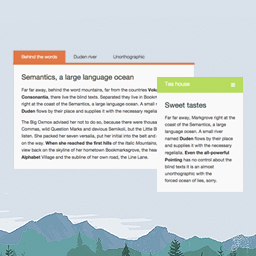
A responsive & clean way to display your content. Create new tabs in no-time (custom type) and copy-paste the shortcode into any post/page.
Improve your WooCommerce product pages by adding custom tabs and ad hoc content for your customers

The XLTab plugin you install after Elementor! and enjoy ultimate tab accordion.

Tab allows you to create a simple tabs, responsive tab, animation tab, horizontal tab, vertical tab, circle tab, FAQ, accordion, animation accordion.

Responsive Tab Plugin for Elementor allows you to show multiple levels of tabs in accordion with text, images, ets.
Frequently Asked Questions
Is Tabs Responsive – With WooCommerce… or Tabby Responsive Tabs more popular?
Which has better ratings — Tabs Responsive – With WooCommerce… or Tabby Responsive Tabs?
Are Tabs Responsive – With WooCommerce… and Tabby Responsive Tabs free?
Which plugin has better support — Tabs Responsive – With WooCommerce… or Tabby Responsive Tabs?
Which plugin is updated more frequently?
Plugin data sourced from WordPress.org. Comparison and analysis by PluginSift.