Browse and compare 55 version plugins. Data updated daily from official WordPress.org sources.
As of April 2026 — 58,563 plugins tracked
Showing 37–55 of 55 plugins
This plugin is for file management system with files/document version control ability. It keeps the files in its separate directory.
Plugin data sourced from WordPress.org. Analysis and metrics by PluginSift.
Shortcode to output the version number of an EDD download. Requires the EDD Software Licensing add-on.
Display a configurable warning for some versions of Internet Explorer
Remove these tags from the header : rsd, wlwmanifest, wp_shortlink, feed_links, feed_links_extra, rest_output_link, discovery_links, rest_output, wp_ …
This plugin allow you to manage and show your own website version number (no the wordpress one).
Add File Version (AFV) can automatically or manually add file version to the CSS/JS files that were added using wp_enqueue_style and wp_enqueue_script …
Permet de récupérer les informations de version de WordPress ainsi que des plugins installés.
Upload zip file to the /wp-content/plugins/ directory Activate the plugin through the 'Plugins' menu in WordPress Now You can get Your serve …
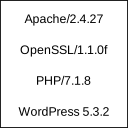
Show Apache and PHP version
Display WordPress, PHP, Web Server, MySQL and Theme versions in wp-admin footer.
Adds a "Powered by WordPress version (X.Y.Z)" notice anywhere in your blog template. Suggested php code can be cut pasted to add anywhere in …
Never let your WordPress be outdated, receive an email whenever a new version of your favorite CMS is available!
It will show all server information in an admin page.
This plugin will enable to remove the generator remove meta version.
Generate badges for GloPress in your projects
Show current WordPress version
Shows the version of WordPress that your plugins have been tested up to ( according to the plugin author ).
A lightweight, zero configuration plugin that removes all WordPress version output from your site for improved security and cleaner markup.
License: GPLv2 or later WordPress plugin to remove the version number from the WordPress front end.